


Why Does a Jigsaw Blade Wander on a Straight Cut?
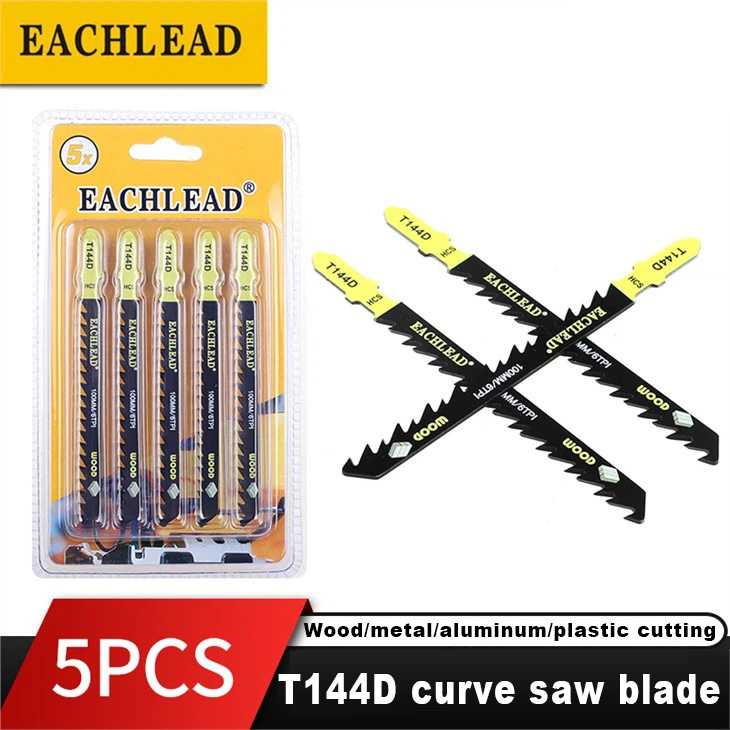

A jigsaw can leave a marked straight line for more than one reason. The useful first distinction is between the saw body losing its reference and the blade deflecting after the cut starts. A new blade alone will not correct a loose guide, an unstable workpiece, or a fence that is not referenced to the base. Conversely, a sound saw and fence cannot make a bent, poorly seated, or overloaded blade stay on course.
Start with a scrap cut. Watch the blade at the entry, keep the base flat, and inspect both faces of the workpiece afterward. That observation tells you which check to make next; it does not prove a single cause.
Start With the Symptom, Not the Blade Purchase
| What you observe | What it can indicate | Low-risk next check |
|---|---|---|
| The saw immediately tracks away from the marked line on the top face. | The base may not be held to the intended reference, or the blade may not be seated/aligned as expected. | Recheck the marked line, base position, and blade seating before changing blade type. |
| The top follows the line but the underside curves away. | Blade deflection is worth investigating. | Repeat on supported scrap with a slower, unforced feed. Then inspect the blade for visible damage or twist. |
| The cut changes direction when the stock vibrates or drops. | Work support or fence contact may be inconsistent. | Clamp the workpiece and support the offcut so the base remains stable. |
| The cut still wanders with a secure setup and an undamaged, correctly seated blade. | A saw-side locating component may need inspection. | Consult the tool documentation or a qualified repair route for the shoe/base, guide, roller, clamp, or related mechanism. |
This sequence avoids a common false choice: “operator error” versus “bad blade.” More than one condition can be present at once.
Check the Reference Before You Chase the Kerf
A straight line only helps if the saw has a stable reference to follow. For a fence-guided rip, Rockler demonstrates securing the stock, measuring the distance from the blade to the base edge, and using that offset to position the fence. The fence must be long enough to establish the saw’s direction before the cut begins.
On the test cut, keep the base consistently against the fence rather than steering the blade back toward the line. Steady contact with a secure fence helps prevent the saw body from wandering. If your saw, base shape, or workpiece cannot support that arrangement, do not improvise a forceful guide; use a setup that the tool manual permits.
For related selection context, see EACHLEAD’s guide to choosing a long jigsaw blade for deep cuts. Length is a separate question from whether a given saw is being held to a stable reference.
Stabilize the Workpiece and Let the Blade Cut

Secure the workpiece before interpreting a wandering cut. A clamped board and a supported offcut make it easier to keep the base flat and to see whether the blade itself is moving sideways. Rockler’s straight-rip demonstration clamps both the work and fence; Anika’s DIY Life likewise advises clamping the workpiece before cutting.
Then reduce feed pressure. Kreg cautions that pushing too fast can bend a jigsaw blade, and Anika’s DIY Life advises letting the saw do the cutting rather than pushing until it binds. In practical terms:
- Start with the base flat and the blade clear of the work.
- Enter the cut without pushing the saw sideways against the line or fence.
- If the blade begins to lag or the cut becomes difficult to control, pause rather than adding forward or side force.
- Repeat the short test on supported scrap before deciding that a blade or saw component is at fault.
This is not a speed setting or a material-specific prescription. It is a way to remove excessive force as a variable from the diagnosis.
Inspect the Blade and Its Seating
If the fence/reference and work support are stable, remove power according to the tool instructions and inspect the blade before another test. Look for obvious bending, twist, tooth damage, or a blade that does not appear fully seated. Reinstall or replace it only as the saw manufacturer directs.
Do not infer a blade specification from the symptom alone. A blade can be unsuitable for a particular cut, but a blade change will not correct a worn guide or a loose shoe. If breakage accompanies the wander, EACHLEAD’s article on why jigsaw blades break and how to reduce breakage is a separate diagnostic path.
Inspect Tool-Side Support Without Guessing at a Repair
The repair reference from eReplacementParts lists the base/plate/shoe, guide, blade support, roller, blade clamp, and control bearing among the parts to check when a jig saw will not cut straight. The exact construction and permissible adjustment differ by tool, so this is an inspection list—not a universal repair procedure.
Pay particular attention to whether the blade is properly engaged with the guide or roller that your saw is designed to use, and whether there is visible damage, debris, or abnormal play. The Geek Pub explains why a rear guide bearing can provide another support point, while a forum case reports that tightening a loose support roller improved one user’s cut but did not fully cure it. That combination is a reason to inspect, not a basis for a universal diagnosis.
If the cut still moves off line after a controlled scrap test with stable support and a sound, correctly seated blade, stop treating the problem as a blade-selection issue. Use the saw’s manual or a qualified service route to determine whether its shoe, guide, roller, clamp, or internal mechanism needs attention.
When Comparing Jigsaw Blades After a Drift Check

Once the reference, work support, feed, and tool-side components have been separated, a blade comparison can be meaningful. Browse the live EACHLEAD jigsaw-blade category as a product-family starting point, then confirm the required shank, dimensions, material/application information, and fit with the actual saw before selecting anything.
The category itself does not establish that any listed blade fits your jigsaw or will prevent wandering. A persistent drift with a secure setup may be a tool condition rather than a blade choice. If tooth specification is the remaining selection question, read what TPI means on a jigsaw blade after confirming the saw and blade are properly supported.
References
- eReplacementParts: Jig Saw Won’t Cut Straight repair overview — component categories to inspect when a saw will not cut straight.
- Rockler: How to make straight rip cuts with a jigsaw — secured work, fence placement, and steady fence contact.
- Kreg: What is a jigsaw? — secure workpiece guidance and the warning that pushing too fast can bend a blade.
- Anika’s DIY Life: How to use a jigsaw — clamping the workpiece and avoiding a forced cut.