


Impact Wrench vs Impact Driver: Drive Type, Fasteners and Tool Choice
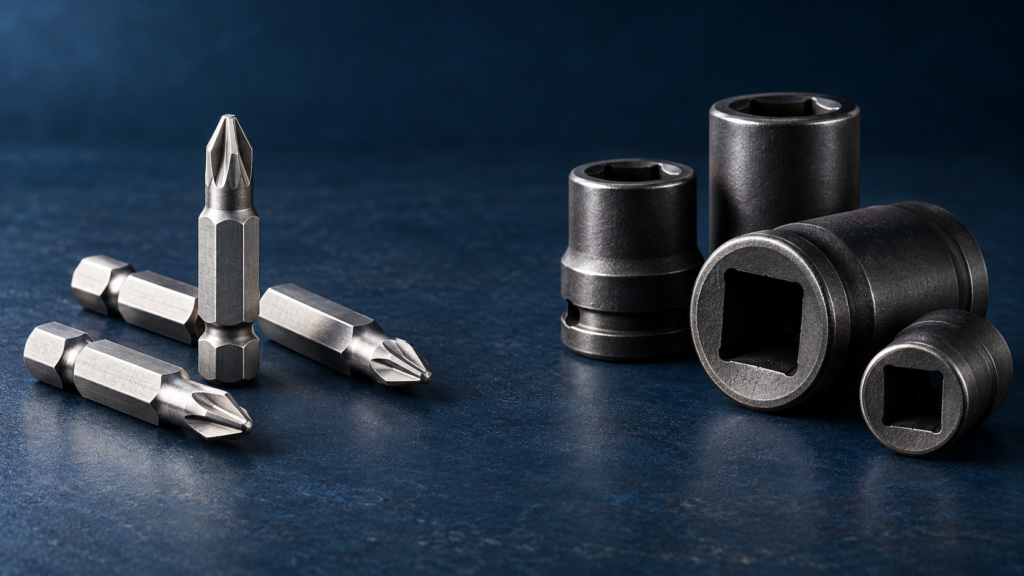
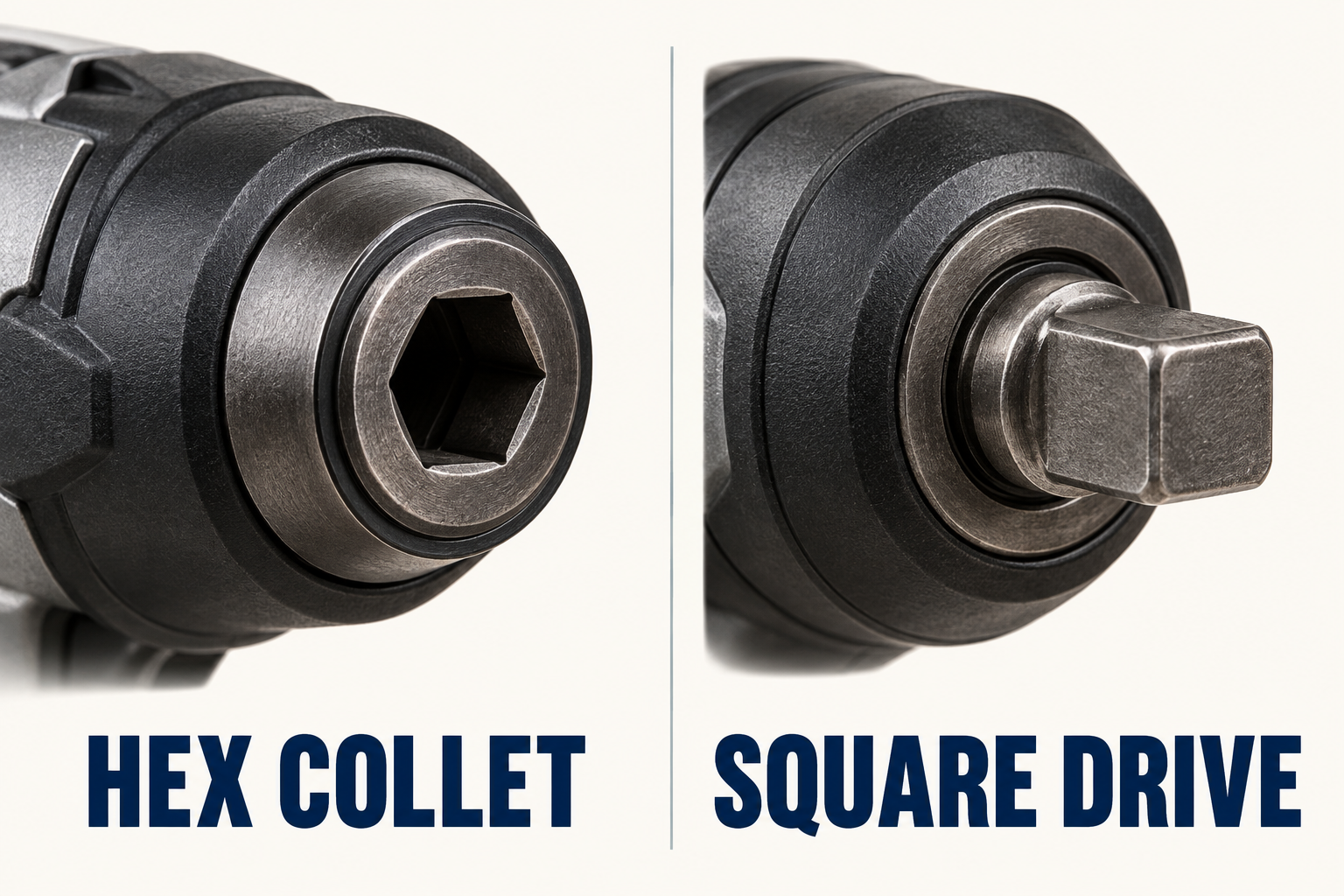
A common impact driver holds hex-shank bits in a collet; a common impact wrench carries sockets on a square drive. For an impact wrench vs driver decision, start with the fastener and accessory connection. Similar-looking tool housings do not establish the same fitting, capacity or intended task.
Both tool types apply rotational impacts to help turn fasteners. Impact drivers commonly serve screw-driving work. Impact wrenches commonly serve nut-and-bolt work with suitable sockets. Those are useful starting categories rather than universal rules: the model and its approved accessories remain the authority for a particular application.
Impact wrench vs driver: look at the nose connection
The drive is the connection between the tool and its accessory. A typical driver has a recessed hexagonal opening in a retaining collet. A typical wrench has a protruding square anvil that enters the socket’s square input.
Bosch’s GDX driver-wrench provides an exception to rigid category rules: its holder combines an internal hex connection with an external square drive. A manufacturer example is the Milwaukee M12 hex impact driver. Its fastening role and hex interface illustrate the category without making every driver identical.
Keep the tool connection separate from the working end. A socket has an input that attaches to the tool and an opening that engages the fastener. The drive size and the fastener-opening size describe different ends of that accessory.
Choose around the fastener and approved accessory
| Task description | Common starting point | Check before selection |
|---|---|---|
| Drive a recessed-head screw | Impact driver with suitable driver bit | Bit engagement and model approval |
| Turn a nut or bolt through a socket | Impact wrench with suitable socket | Square drive, opening and accessory specification |
| Use a socket on a hex driver | Approved adapter arrangement | Every connection and task limitation |
| Meet a specified final joint torque | Specified fastening and verification method | The joint specification, not a generic tool headline |
This comparison does not select a tool for a vehicle, a structural connection or another defined installation. Those tasks bring their own fastener requirements and procedures. Knowing the tool family is one input to that decision, not its completion.
An adapter changes the connection
A hex-to-square adapter bridges two accessory interfaces. Makita’s socket-adapter page provides a real example: a hex shank fits an appropriate driver, while a square end accepts a suitable socket.
That bridge explains why a hex driver can sometimes turn a socket without becoming equivalent to every dedicated impact wrench. The adapter description establishes a connection and intended application for that accessory. It does not establish unlimited capability for any driver, socket or fastener placed after it.
Nor does a matching outline prove that every accessory is appropriate for impact use. The cited impact-tool manual specifies accessories designed for these tools. Check the actual accessory’s intended use and the tool’s requirements rather than assuming that an ordinary socket is suitable because it physically fits.
Advertised output is separate from final joint torque
A headline torque figure describes a tool claim under stated conditions. It is not a measurement of the final condition of a particular assembled joint. The manufacturer’s manual distinguishes impacting from checking tightness and discusses how fastener conditions affect the result.
Therefore, choose and verify a specified joint according to its own documentation. A driver mode, a count of impacts or a general “more powerful” description does not supply the missing joint specification. A tool’s maximum-output number therefore does not establish the installation setting for a specified joint.
The useful purchasing question is whether the proposed tool and accessory arrangement are intended for the actual work. A second, separate question is how that work’s required final condition will be verified.
Check the complete connection chain
A short accessory request can identify three interfaces: tool output → accessory input → fastener engagement. Write down each connection instead of requesting “a bigger socket” or “a stronger driver.” Add the exact tool model so the supplier can check the relevant requirements.
For example, a hypothetical workshop already owns a hex-collet driver and needs to turn a nut. The request should identify that driver, the proposed adapter and the fastener-engaging socket. The missing adapter cannot be solved by giving only the nut’s size.
Conversely, a workshop with a square-drive wrench has a different accessory starting point, even if the fastener is the same. Matching one connection does not answer whether the accessory’s other end engages the fastener or whether the whole combination is intended for the task.
A useful impact wrench versus impact driver comparison follows that complete chain. It distinguishes the common drive forms, checks the actual application and keeps connection fit separate from output claims and final joint requirements.